 Vidiyo
Account and security
Update your Vidiyo profile and username, change your password, turn on two-step verification with an authenticator app, and sign out unknown devices.
The Account page holds your public profile, your email and password, and the door to the Security page. Security covers two-step verification and every browser, TV, and app signed in to your account.
Go here when you change your name or photo, suspect someone else has your password, or want a second factor on sign-in.
Steps
1. Open Account
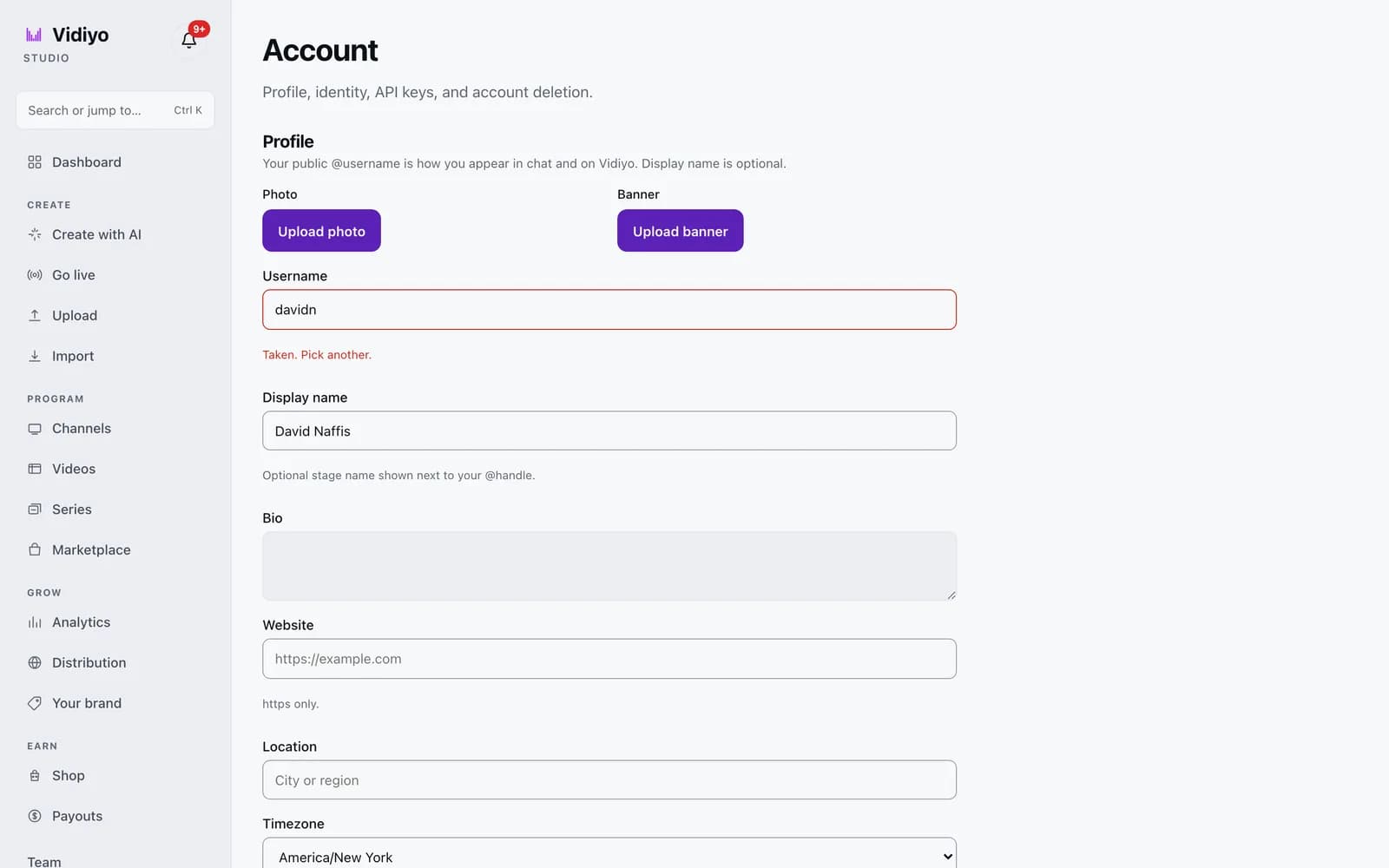
In the Studio sidebar, scroll to the bottom and click Account, under Team. The page starts with Profile. Your public @username is how you appear in chat and on Vidiyo; the display name is optional.
2. Edit your profile
Click Upload photo or Upload banner to change your images. Fill in Username, Display name (up to 100 characters), Bio (up to 500 characters), Website (https only), Location, and Timezone. Click Save profile when you are done. A toast reading Profile saved confirms it.
The username field checks availability as you type. A taken name shows Taken. Pick another. in red under the field. After you rename, you can rename again 30 days later. Old links to your previous @handle keep working.
3. Verify your email and change your password
The Email section shows Not verified yet with a Resend verification email button until you click the link in the email. Under Password, enter your Current password, a New password of at least 8 characters, and Confirm new password, then click Update password. Changing your password signs out your other browsers.
4. Open Security
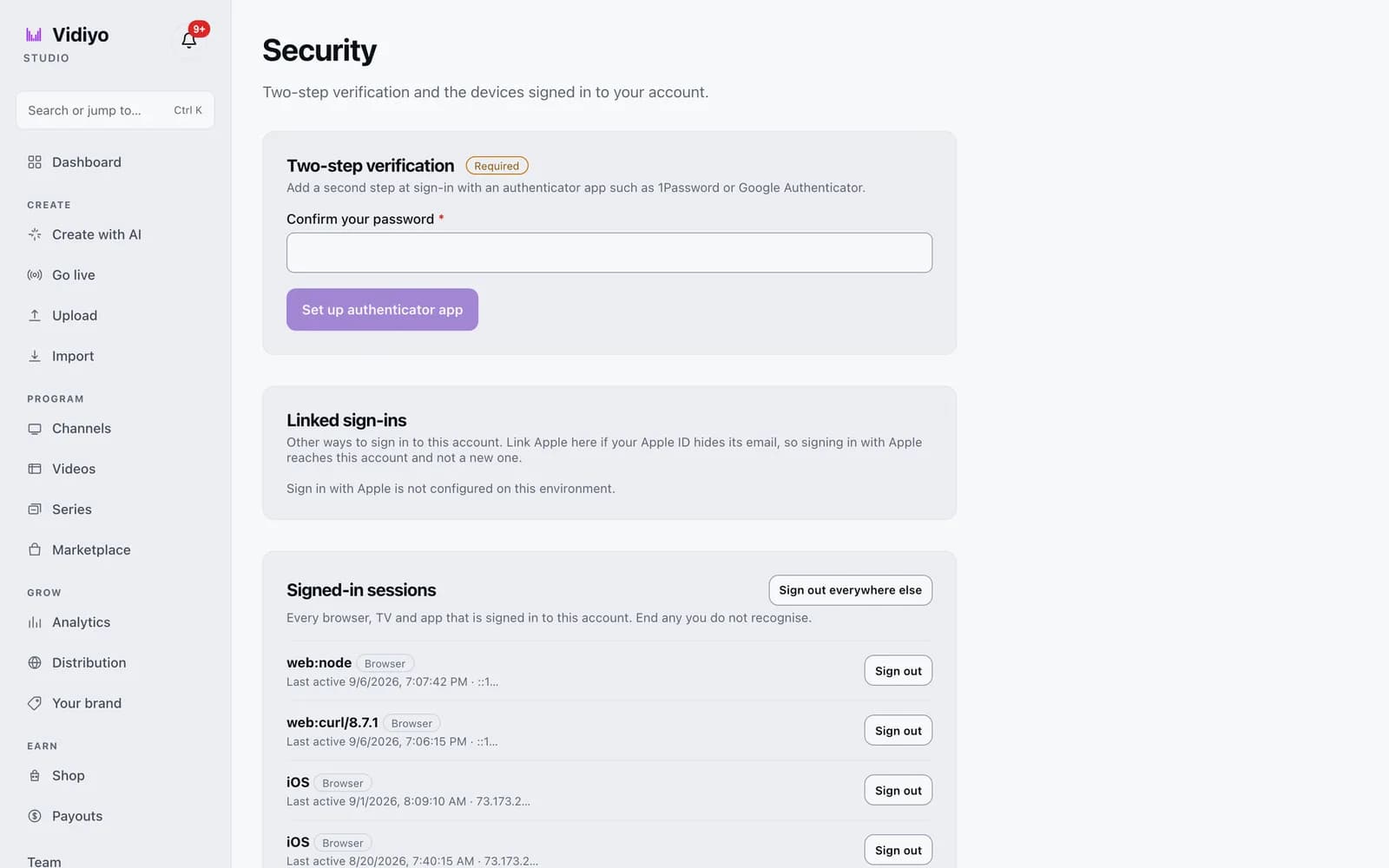
In the Security section, click Manage security. The Security page has three cards: Two-step verification, Linked sign-ins, and Signed-in sessions.
5. Turn on two-step verification
In the Two-step verification card, type your password under Confirm your password and click Set up authenticator app. Scan the QR code with an app such as 1Password or Google Authenticator, or enter the key by hand. Enter the six-digit code the app shows in Code and click Turn on.
Studio then shows 10 recovery codes once. Save them somewhere safe. Each one signs you in a single time if you lose your phone. Click I saved them to finish. The card badge changes to On, and shows how many recovery codes you have left, with New recovery codes and Turn off buttons.
The badge reads Required when your account role must use two-step verification. Admin accounts fall in this group.
6. Review signed-in sessions
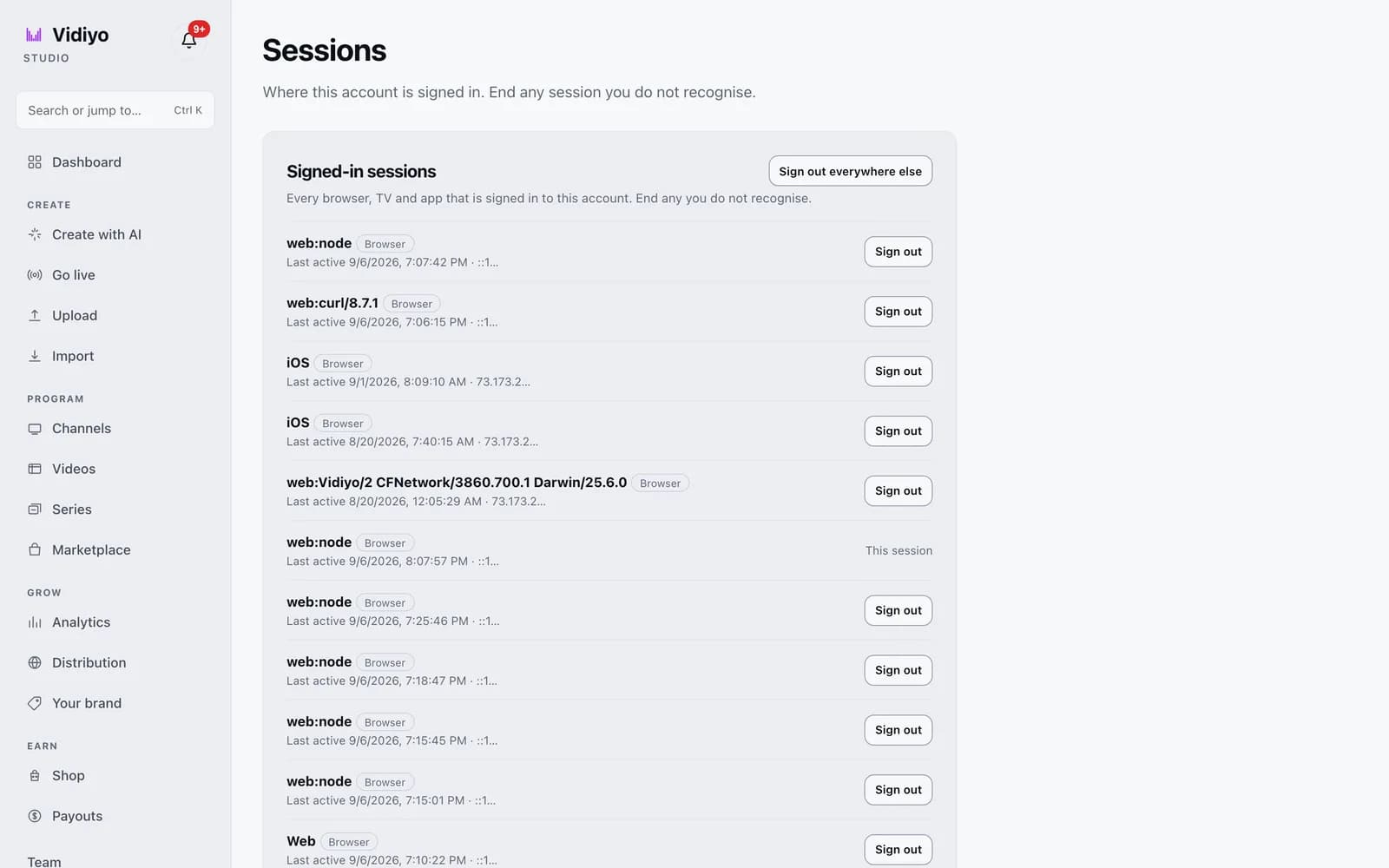
The Signed-in sessions card lists every browser, TV, and app signed in to your account. Each row shows a label such as Browser or TV or app, the last active time, and part of the IP address. Your current one reads This session. Click Sign out on any row you do not recognise. Click Sign out everywhere else and confirm with Sign out others to end every session except this one. The same list lives on its own page at vidiyo.com/studio/account/sessions.
Tips
- Linked sign-ins lets you link an Apple ID. Do this if your Apple ID hides its email, so that Sign in with Apple reaches this account and not a new one. The card says so when Apple sign-in is not set up on the environment you are using.
- If you think your password leaked, change it first. That signs out other browsers on its own. Then check Signed-in sessions for TV and app sessions and sign those out too.
- To delete your account, scroll to Delete account at the bottom of the Account page. Type your email to confirm and click Request account deletion. Vidiyo emails a confirmation link. Once confirmed, your account, channels, and content are permanently deleted within 30 days.
Quick answers
How do I turn on two-factor authentication on Vidiyo?
Open Account, click Manage security, confirm your password, and click Set up authenticator app. Scan the QR code, enter the six-digit code, and click Turn on. Save the 10 recovery codes it shows.
I lost my phone. How do I sign in to Vidiyo?
Use one of the recovery codes you saved when you turned on two-step verification. Each code works once. After you sign in, open Security and click New recovery codes or set up the authenticator again on your new phone.
How do I sign out of Vidiyo on all devices?
Open Account, click Manage security, and click Sign out everywhere else in the Signed-in sessions card. Every browser, TV, and app except the one you are using is signed out.
How often can I change my Vidiyo username?
Once every 30 days. The Username field tells you the date you can rename again. Links to your old @handle keep working after a rename.
How do I delete my Vidiyo account?
At the bottom of the Account page, type your email in the Delete account box and click Request account deletion. Confirm from the email Vidiyo sends. Your account, channels, and content are deleted within 30 days, and this cannot be undone.
Open Studio
Upload a video, go live, or program your channel. Studio is free, and every guide here walks you through one task.